

Build your first flow
The fastest way to understand flows is to build a tiny one. This is the “hello, world” of Routario: a flow with a single step that pops up a message when you run it. Two minutes, and you’ve got the whole loop — build → run → see the result.
Build it
Section titled “Build it”-
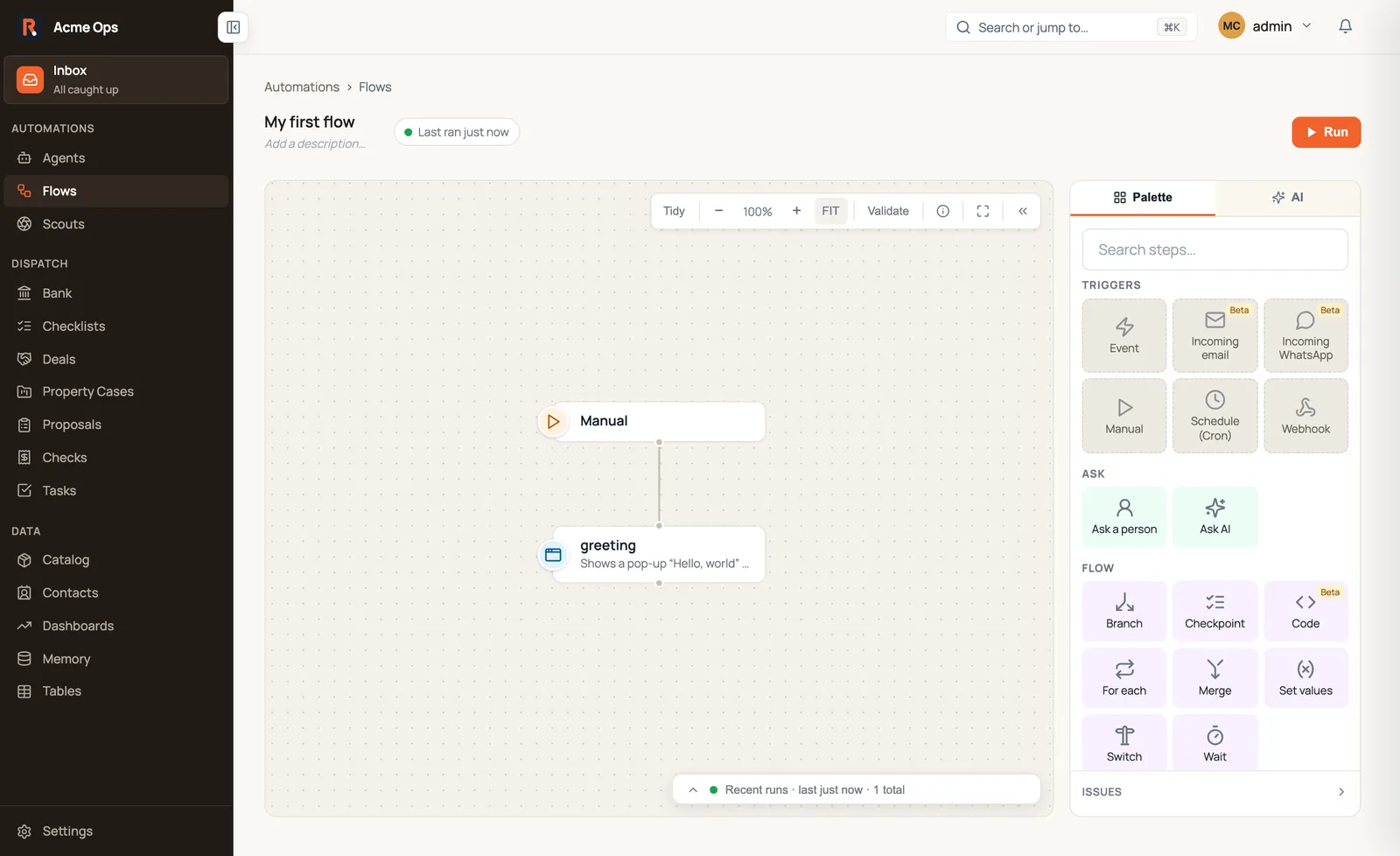
New flow. Open Flows in the sidebar and create a new one. You land on the canvas — the surface where you both build and run a flow. Every flow starts with one trigger; a new flow gets a Manual trigger, which is exactly what we want.
-
Add one step. From the step palette on the right, add a Send pop-up. Set its title to
Hello, world. (You can add a body for a second line — we did, below.) -
Connect it. Drag from the trigger to your new step so the flow knows what runs first. You should end up with exactly this:
Run it
Section titled “Run it”Press Run in the top-right. The flow has no schedule or webhook, so a manual run is exactly right — see the Manual trigger. The run takes a fraction of a second.
See it
Section titled “See it”A pop-up appears right on the canvas, reading Hello, world. That’s your flow’s output — shown only to you, gone when you dismiss it.
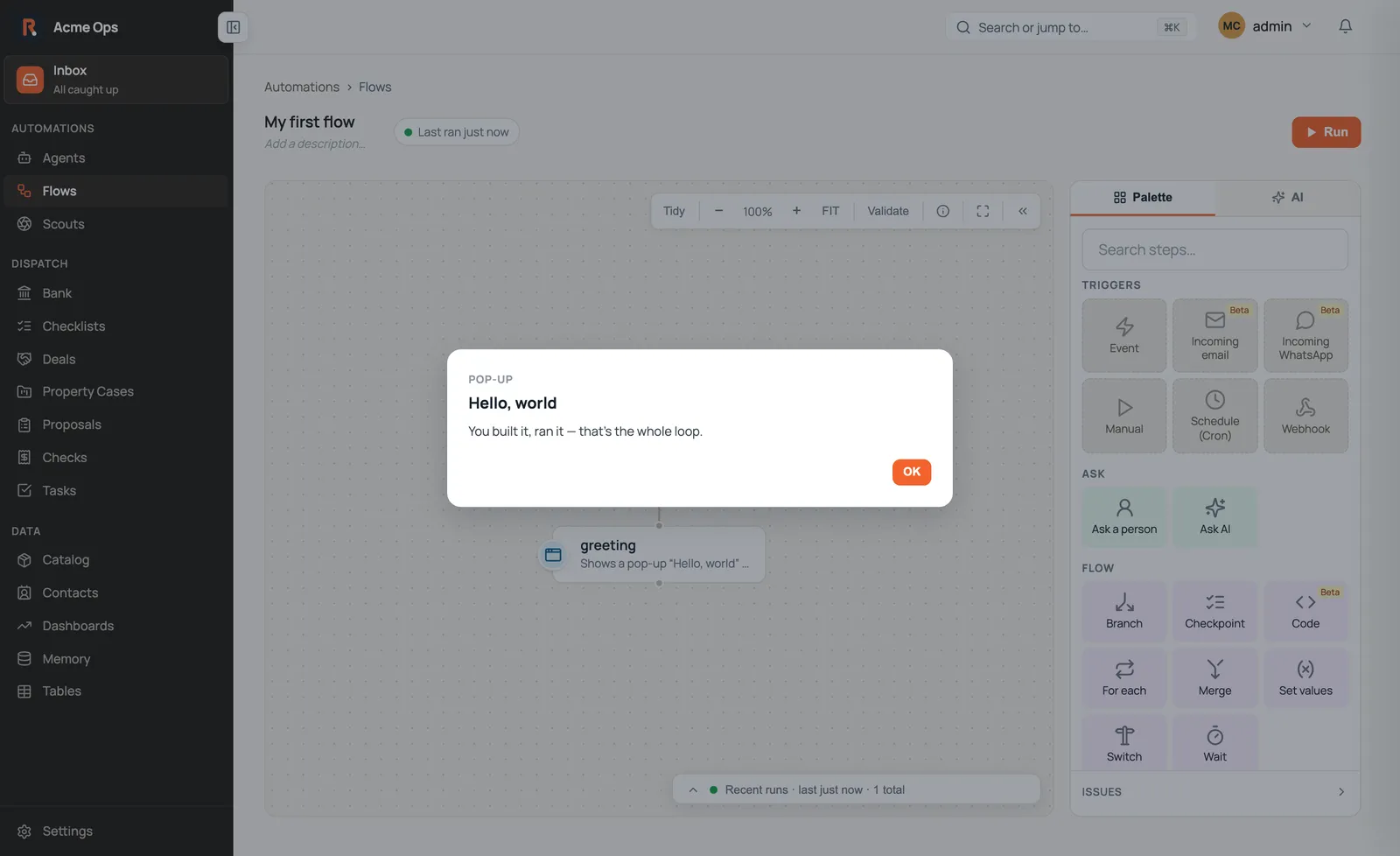
That’s the whole loop: build → run → see the result.
What just happened
Section titled “What just happened”You built a flow — a trigger plus a sequence of steps — and ran it. Send pop-up is the simplest thing a flow can do for you: an ephemeral readout shown right on the canvas, gone when you close it. No data was created, nothing was sent anywhere.
Everything else builds on exactly this loop — triggers that start a flow on their own, steps that fetch and decide and send, and steps that pause to ask a person.
Where to go next
Section titled “Where to go next”- Building an automation — the mental model, then a real cookbook: find records, loop over them, ask a person, send an email.
- Template variables — drop live values into any field
with
{{ … }}. - Asking a person — pause a flow for a human decision, on the canvas or by notification.